Switching Payroll Providers in 2026: Complete Guide


Switching payroll providers is one of those decisions that gets delayed far too often. The fear of disruption, lost data, or mid-cycle errors keeps many construction companies stuck with systems that no longer meet their needs. But staying with a provider that costs you time, causes compliance issues, or can't handle the complexity of the field workforce is an even bigger risk.
This guide walks through everything you need to know to switch payroll providers — from recognizing the signs it's time to move to executing the migration without disruption. Whether you're a small subcontractor or a mid-size general contractor, the steps are the same. The planning is what makes the difference.
Key Takeaways
- The end of a calendar or fiscal year is the best time to switch payroll providers, but many construction companies can also make their move mid-year with the right preparation.
- Construction payroll has unique requirements, such as certified payroll, union rates, prevailing wage, and multi-job cost tracking, that generic systems often handle poorly.
- A successful switch depends on clean data export, complete historical records, and a parallel run period before going fully live.
- Small businesses can switch payroll providers without major disruption if they plan 60–90 days in advance.
- The biggest migration mistakes involve incomplete records, poor timing, and skipping employee communication.
Why Construction Companies Are Switching Payroll Providers in 2026
Choosing the right construction payroll company starts with identifying gaps in your current provider.'
The construction industry has seen a wave of payroll platform transitions over the past two years, and the reasons are consistent across company size.
First, compliance complexity has grown. Prevailing wage laws, certified payroll reporting requirements, and union benefit tracking have become harder to manage manually or with generic software. If your current system can't generate a WH-347 form automatically or flag overtime by craft classification, you're doing extra work that the right platform would handle for you.
Second, the workforce has changed. More construction companies are managing mixed crews — W-2 employees, 1099 subcontractors, and union workers are on the same job. Payroll systems that weren't built for this create headaches every pay period.
Third, integration gaps are driving switches. When your payroll system doesn't integrate with your job costing software, project management tools, or time-tracking app, someone has to manually enter data twice. That's both inefficient and error-prone.
Finally, cost transparency has improved. Contractors now have access to purpose-built payroll platforms with construction-specific features at competitive price points. The case for staying with a legacy system is weaker than it's ever been.
Signs It's Time to Replace Your Current Payroll System
.webp)
Not every payroll frustration warrants a full switch. But these are signs worth taking seriously:
- You're spending more than an hour per pay period manually correcting errors or exporting data between systems.
- Your provider can't handle certified payroll reporting, multiple pay rates by job or trade, or union fringe benefit calculations.
- You've received IRS notices or state tax penalties tied to incorrect filings.
- Employees are consistently getting questions about pay stubs that the system can't clearly explain.
- Your payroll provider's support team takes more than 24 hours to respond during a payroll run.
- You're managing field timecards in one system and payroll in another with no integration between them.
- Your current contract is up for renewal, and pricing has increased without service improvements.
One or two of these is worth addressing. If you're experiencing three or more, it's time to evaluate alternatives.
When Is the Best Time for Contractors to Switch Payroll Providers?
The best time to switch payroll providers is at the start of a new calendar year — January 1. This timing simplifies year-end tax reporting because all W-2s, 1099s, and annual filings are closed out with the previous provider. Your new provider starts with a clean slate at the beginning of each tax year, significantly reducing the risk of data conflicts or split-year reporting errors.
The second-best option is the start of a new fiscal quarter. While not as clean as a January 1 transition, a quarterly switch still limits the amount of mid-year payroll history your new provider needs to carry forward.
When is the best time for small business owners to switch payroll providers? The same logic applies, but small businesses have more flexibility because they often have simpler payroll structures. A small contractor with 10 employees and straightforward pay rates can make a mid-quarter switch work if payroll records are well-organized.
Switching payroll providers mid-year is more complex but not unusual. If you go this route, your new provider will need to import year-to-date payroll totals for each employee, including gross wages, tax withholdings, and deductions. This data must be accurate to the cent because any discrepancy will affect year-end W-2 reporting. Plan for a longer onboarding period and schedule a parallel run (processing payroll in both systems simultaneously) for at least one pay period before cutting over.
Construction Payroll Migration Checklist (Step-by-Step Guide)
.webp)
This is how to switch payroll providers without losing data or disrupting pay cycles.
Step 1: Audit your current payroll data (6–8 weeks before go-live)
Pull complete records from your current provider: employee roster, pay rates, tax withholding elections (W-4s), direct deposit details, YTD earnings, YTD tax withholdings, deduction history, and any garnishments. Verify these match your general ledger.
Step 2: Identify your requirements (6–8 weeks before go-live)
List every payroll function you need: certified payroll reports, union benefit tracking, multi-rate pay by job or classification, workers' comp by class code, PTO accrual rules, and integration with your accounting or project management software. This list drives your platform selection.
Step 3: Select your new provider and complete setup (4–6 weeks before go-live)
Once selected, configure your company settings, tax information, pay schedules, and deduction codes before importing any employee data. Getting the structure right first prevents import errors.
Step 4: Import employee data (3–4 weeks before go-live)
Transfer employee records, including all YTD figures if switching mid-year. Run a line-by-line comparison to confirm accuracy. Flag any discrepancies for manual correction before processing any live payroll.
Step 5: Run parallel payroll (1–2 pay periods before go-live)
Process one full payroll in both your old and new systems. Compare outputs to confirm the new system produces the correct net pay, tax withholdings, and deductions for every employee. Do not cut live checks from the new system until this matches.
Step 6: Notify employees
Tell employees about the switch before it happens. Confirm that pay dates won't change and explain any differences in how they'll access pay stubs or manage direct deposit. This prevents confusion and support tickets on payday.
Step 7: Go live and monitor
Process your first live payroll in the new system. Review the payroll register carefully before approving. Confirm all direct deposits are funded correctly. Keep your old system accessible (read-only) for at least 90 days for reference.
Common Payroll Migration Mistakes Construction Contractors Must Avoid
Skipping the data audit: Migrating inaccurate data just moves the problem to a new system. Before you transfer anything, verify that your current payroll records are correct.
Underestimating YTD complexity: If you're switching payroll providers mid-year, your new provider needs every employee's YTD figures in exact detail. Missing or rounded figures will cause W-2 errors at year's end.
Going live on a holiday or short week: Schedule your cutover during a standard pay period. Shortened weeks or holidays create edge cases that are harder to troubleshoot during a transition.
Forgetting about third-party integrations: Your payroll connects to other things — accounting software, benefits carriers, 401(k) administrators. Map all of these before the switch and confirm each integration is working before go-live.
Not confirming state tax registration in the new system: Each state where you have employees requires proper tax setup. If your new provider hasn't confirmed your state account numbers and rates, you'll have filing problems from the first payroll.
Canceling the old provider too soon: Keep your previous system active until at least one successful payroll has run in the new system and all year-end filings are confirmed complete.
Special Considerations for Construction & Field Workforces
.webp)
Construction payroll isn't standard payroll. A few areas that need specific attention during any platform switch:
Certified payroll and prevailing wage: If you work on public or government-funded projects, your new system must generate certified payroll reports (WH-347 or state equivalents) and track prevailing wage rates by job classification and location. Verify this before committing to any platform.
Union payroll: Union employees require tracking of fringe benefit contributions — health, pension, annuity — by hours worked and trade classification. These vary by collective bargaining agreement. Your new provider needs to handle multiple union agreements simultaneously if you operate across different trades or jurisdictions.
Multi-state and multi-job payroll: Field crews often work across state lines or on multiple job sites within a single pay period. Your system needs to allocate labor costs to the correct job number and apply the correct state tax withholding based on where work was performed — not just where the company is headquartered.
Workers' compensation classification: Payroll must be tracked by workers' comp class code for accurate insurance audits. If your current system lumps all employees under one code, you're likely overpaying on premiums.
Time and attendance integration: Construction timecards often come from mobile apps, GPS-based systems, or paper records. Your payroll platform should integrate with your time collection method directly. Manual re-entry of field hours is a leading source of payroll errors in the industry.
How Lumber Simplifies Payroll Switching for Construction Teams
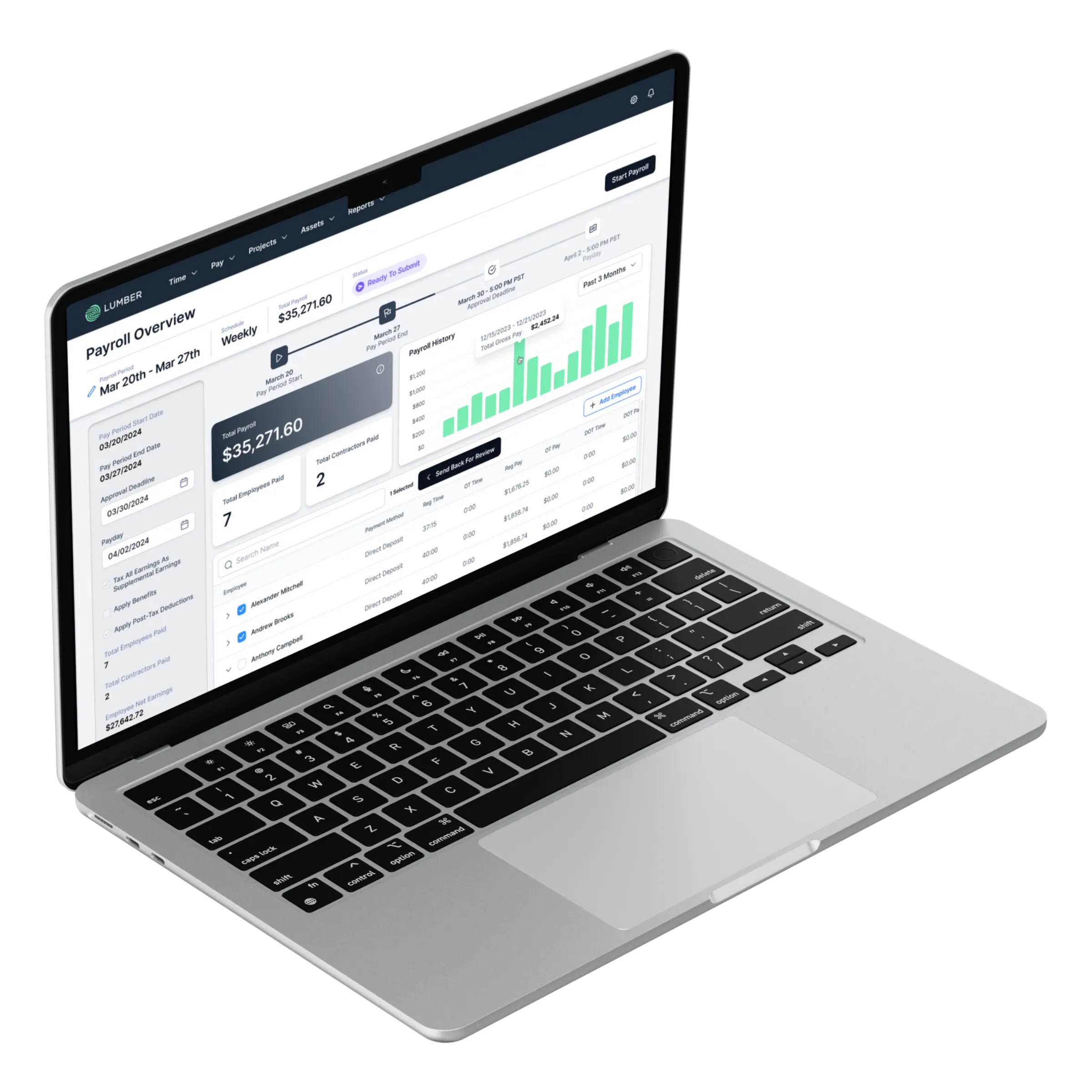
Lumber is a payroll and workforce management platform built specifically for construction. Unlike general-purpose payroll tools that require workarounds for construction-specific needs, Lumber handles the complexity of construction payroll from the ground up.
For certified payroll, Lumber generates WH-347 reports automatically and supports prevailing wage tracking by project, trade, and jurisdiction. For union payroll, it manages fringe benefit contributions across multiple CBAs without manual calculation.
Lumber integrates directly with field time tracking, so hours collected from the job site flow into payroll without manual entry. Labor costs are automatically allocated to job codes, giving project managers real-time visibility into labor spend by project.
For companies switching payroll providers, Lumber's onboarding team handles the data migration process, including YTD import for mid-year transitions, and runs a parallel payroll to confirm accuracy before go-live. The platform also integrates with major construction accounting systems, including QuickBooks, Sage, and Viewpoint.
If you're evaluating a payroll provider decision for your construction business, Lumber offers a direct path from your current system without the manual setup burden that most migrations require.
Final Thoughts
Switching payroll providers is a project, not a quick task, but it is manageable. The companies that execute these transitions well share one thing: they plan early, audit their data, and don't rush the parallel run period.
Whether you're making the move at year-end or navigating a mid-year transition, the steps in this guide apply. Construction payroll is complex enough on its own. Your platform should reduce that burden, not add to it.
Lorem ipsum dolor sit amet, consectetur adipiscing elit. Donec ullamcorper mattis lorem non. Ultrices praesent amet ipsum justo massa. Eu dolor aliquet risus gravida nunc at feugiat consequat purus. Non massa enim vitae duis mattis. Vel in ultricies vel fringilla.
Introduction
Mi tincidunt elit, id quisque ligula ac diam, amet. Vel etiam suspendisse morbi eleifend faucibus eget vestibulum felis. Dictum quis montes, sit sit. Tellus aliquam enim urna, etiam. Mauris posuere vulputate arcu amet, vitae nisi, tellus tincidunt. At feugiat sapien varius id.
Eget quis mi enim, leo lacinia pharetra, semper. Eget in volutpat mollis at volutpat lectus velit, sed auctor. Porttitor fames arcu quis fusce augue enim. Quis at habitant diam at. Suscipit tristique risus, at donec. In turpis vel et quam imperdiet. Ipsum molestie aliquet sodales id est ac volutpat.


Ipsum sit mattis nulla quam nulla. Gravida id gravida ac enim mauris id. Non pellentesque congue eget consectetur turpis. Sapien, dictum molestie sem tempor. Diam elit, orci, tincidunt aenean tempus. Quis velit eget ut tortor tellus. Sed vel, congue felis elit erat nam nibh orci.

Dolor enim eu tortor urna sed duis nulla. Aliquam vestibulum, nulla odio nisl vitae. In aliquet pellentesque aenean hac vestibulum turpis mi bibendum diam. Tempor integer aliquam in vitae malesuada fringilla.
Elit nisi in eleifend sed nisi. Pulvinar at orci, proin imperdiet commodo consectetur convallis risus. Sed condimentum enim dignissim adipiscing faucibus consequat, urna. Viverra purus et erat auctor aliquam. Risus, volutpat vulputate posuere purus sit congue convallis aliquet. Arcu id augue ut feugiat donec porttitor neque. Mauris, neque ultricies eu vestibulum, bibendum quam lorem id. Dolor lacus, eget nunc lectus in tellus, pharetra, porttitor.
Ipsum sit mattis nulla quam nulla. Gravida id gravida ac enim mauris id. Non pellentesque congue eget consectetur turpis. Sapien, dictum molestie sem tempor. Diam elit, orci, tincidunt aenean tempus. Quis velit eget ut tortor tellus. Sed vel, congue felis elit erat nam nibh orci.
Mi tincidunt elit, id quisque ligula ac diam, amet. Vel etiam suspendisse morbi eleifend faucibus eget vestibulum felis. Dictum quis montes, sit sit. Tellus aliquam enim urna, etiam. Mauris posuere vulputate arcu amet, vitae nisi, tellus tincidunt. At feugiat sapien varius id.
Eget quis mi enim, leo lacinia pharetra, semper. Eget in volutpat mollis at volutpat lectus velit, sed auctor. Porttitor fames arcu quis fusce augue enim. Quis at habitant diam at. Suscipit tristique risus, at donec. In turpis vel et quam imperdiet. Ipsum molestie aliquet sodales id est ac volutpat.
Mi tincidunt elit, id quisque ligula ac diam, amet. Vel etiam suspendisse morbi eleifend faucibus eget vestibulum felis. Dictum quis montes, sit sit. Tellus aliquam enim urna, etiam. Mauris posuere vulputate arcu amet, vitae nisi, tellus tincidunt. At feugiat sapien varius id.
Eget quis mi enim, leo lacinia pharetra, semper. Eget in volutpat mollis at volutpat lectus velit, sed auctor. Porttitor fames arcu quis fusce augue enim. Quis at habitant diam at. Suscipit tristique risus, at donec. In turpis vel et quam imperdiet. Ipsum molestie aliquet sodales id est ac volutpat.
- Lectus id duis vitae porttitor enim gravida morbi.
- Eu turpis posuere semper feugiat volutpat elit, ultrices suspendisse. Auctor vel in vitae placerat.
- Suspendisse maecenas ac donec scelerisque diam sed est duis purus.
Lectus leo massa amet posuere. Malesuada mattis non convallis quisque. Libero sit et imperdiet bibendum quisque dictum vestibulum in non. Pretium ultricies tempor non est diam. Enim ut enim amet amet integer cursus. Sit ac commodo pretium sed etiam turpis suspendisse at.
Tristique odio senectus nam posuere ornare leo metus, ultricies. Blandit duis ultricies vulputate morbi feugiat cras placerat elit. Aliquam tellus lorem sed ac. Montes, sed mattis pellentesque suscipit accumsan. Cursus viverra aenean magna risus elementum faucibus molestie pellentesque. Arcu ultricies sed mauris vestibulum.

Critical Construction Compliance | Awareness Week
Mar 16, 2026
Apr 15, 2026
Nov 30, 2026
Dec 15, 2026
Essential resources for contractors