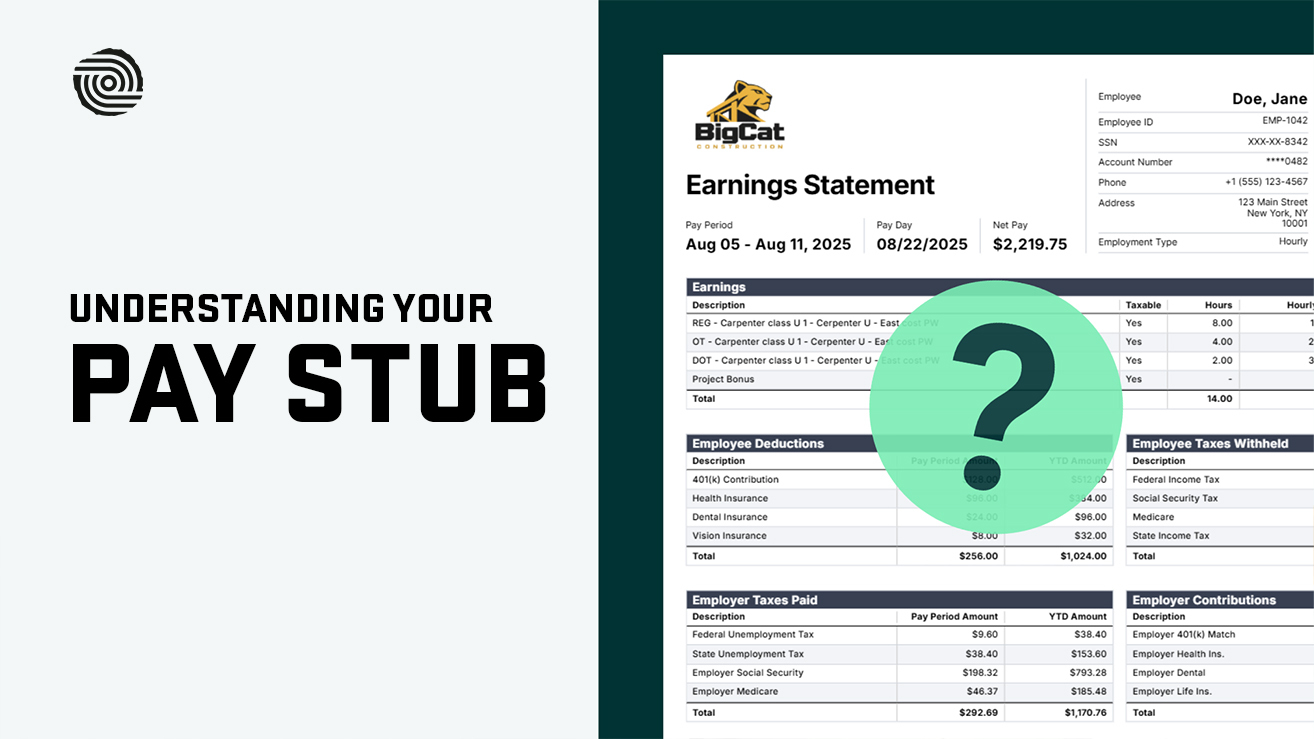




Best Construction Payroll Software in 2026: A Contractor’s Comparison Guide




What is the best construction payroll software?
The best construction payroll software depends on your work. Contractors with certified payroll, prevailing wage, or union work should pick a platform that builds those rules into payroll, such as Lumber, Foundation, Sage, ADP Workforce Now for Construction, or eBacon.
Small contractors on private jobs can often run QuickBooks Payroll and add a certified payroll tool such as Points North for occasional public work. Teams that want payroll handled for them can look at Payroll4Construction, Sage Intacct Payroll powered by ADP, or Lumber with LumberCare (managed compliance team).
How we evaluated these options
We reviewed each vendor's own product, pricing, and help pages and compared them on seven criteria:
- Certified payroll: does it produce the WH-347 and state formats inside the product, or through an add-on?
- Prevailing wage: does it apply wage determination rates by trade classification and project?
- Union payroll: does it handle CBA rules, fringe contributions, and union remittance reports?
- Job costing: does it post labor costs by project and cost code?
- Field time tracking: can crews clock in on a phone, by project and cost code?
- Integrations: which accounting and ERP systems does it sync with?
- Pricing: does the vendor publish prices, or quote only?
Lumber publishes this guide and ranks among the options. We list Lumber's limits the same way we list everyone else's.
Why construction payroll is different
Standard payroll assumes a simple week: one employee, one pay rate, one work location, one set of taxes. Construction breaks every one of those assumptions. A single crew member can work two jobs, in two trades, in two states, under a union contract on one site and a government wage rate on the other, all in the same week. Each of those changes what they must be paid, what gets reported, and who receives the money.
Here are the five things that make construction payroll its own discipline, and why general payroll software struggles with each.
1. Certified payroll: proving every worker was paid correctly
On public construction jobs, paying the right wage isn't enough. You have to prove it, every week, in a signed report to the agency funding the work. That report is certified payroll.
Under the federal Davis-Bacon and Related Acts, it applies to federal and federally assisted construction contracts over $2,000. The rules are specific:
- How often: weekly, for each week covered work is performed
- When: within 7 days of the regular payment date
- What it shows: each worker's trade classification, hours, rate, fringes, and pay.
- How it's certified: a signed Statement of Compliance.
- What form: the WH-347 or any format with the same information
- Record keeping: 3 years after the prime contract is complete.
Late or wrong reports have real costs. The agency can suspend payments on the contract until the reports are fixed (DOL), and repeated violations can lead to back wages, penalties, and debarment from future public work. Beyond federal rules, many states run their own prevailing wage programs, with their own forms, portals, and deadlines, even on jobs with no federal money.
Why general payroll struggles: it can pay people, but it doesn't track trade classifications by the hour or produce the weekly report. Someone ends up rebuilding the payroll in a spreadsheet every week.
2. Prevailing wage: the rate depends on the job, the place, and the work
On public jobs, the government sets the minimum rate in a wage determination: a schedule of base wages and fringe benefits by trade classification and county. The rate is tied to the project, not the person.
That means one worker can carry several rates. Picture a laborer who spends the morning on a private job, then moves to a school project and runs equipment for three hours. The morning is paid at your normal rate. The afternoon splits between the laborer rate and the operator rate on that project's wage determination. Each hour must land on the right rate, and the certified payroll must show it.
Fringe adds another layer. The fringe part of the prevailing wage can go to a bona fide benefit plan, where it isn't taxable wages, or be paid to the worker as cash fringe, where it is fully taxable. Mixing the two up is one of the most common prevailing wage tax errors.
Why general payroll struggles: it stores one rate per employee. Prevailing wage needs rates per project, per trade classification, per hour, with fringe handled two different ways.
3. Union payroll: every agreement has its own rules
Union contractors pay under collective bargaining agreements (CBAs). Each CBA sets its own wage scales, overtime and shift rules, dues and fringe contributions for health, pension, annuity, and training funds. A contractor working with several trades may run three or four CBAs in the same pay period.
After payroll, the money has to reach the right place. Fringe contributions and dues go to each fund with a remittance report, usually monthly. When a member travels to work in another local's area, union reciprocity can send their fringes back to their home local instead.
What this looks like in practice: Complete Fence, an Illinois fencing contractor and Lumber customer, has about 50 union workers spread across roughly 20 locals, alongside a non-union crew. Before switching, its team tracked each worker's home local, work local, and overtime rules by hand, and its old payroll system reliably handled certified payroll on only about 2 of every 10 jobs that needed it.
Why general payroll struggles: it treats benefits as simple deductions. Union payroll needs per-CBA rate tables, employer contributions by fund, and remittance reports that match what each fund expects.
4. Multi-state crews: taxes follow the job site
Construction crews go where the work is. When a worker crosses a state line for a job, the work location can change which state and local taxes apply, sometimes within a single pay period. State tax reciprocity agreements let some workers be taxed only in their home state, but only between certain states and only with the right exemption form on file.
What this looks like in practice: Horseshoe Construction, a Texas utility contractor and Lumber customer, works across six states. In one week, a crew worked Monday on a Texas job, then Tuesday to Friday on a certified payroll job in Alabama. Its previous provider couldn't adapt mid-week, so every move required manual corrections to taxes, billing, and certified payroll.
Why general payroll struggles: it usually taxes by a fixed work address. Construction needs taxes calculated based on where each hour was worked.
5. Job costing: labor cost has to land on the right job
Labor is usually a contractor's highest and most variable cost. Knowing total payroll isn't enough; you need to know what each job cost, by cost code, while the job is still running. That includes the full burden: wages plus payroll taxes, workers' compensation, and fringes.
Why general payroll struggles: it reports cost by employee or department. Without a job and cost code on every hour, project managers learn a job lost money only after it's finished.
What this means when you choose software
All five of these start in the same place: the timesheet. If crews record time by project, cost code, and trade classification, the software can apply the right rate, pay the right fringe, tax the right state, cost the right job, and produce the certified payroll from one run. If they don't, every downstream report needs fixing by hand. That's the test to apply to every platform below.
Seven platforms at a glance
Seven of the eight build certified payroll into the product; only QuickBooks needs an add-on. The bigger differences are union depth, field time tracking, and whether you can see a price before a sales call.
Construction payroll software reviews
1. Lumber

Best for: union and public works contractors who want payroll, field time, HR, and compliance in one integrated system, in the US and Canada.
Lumber is built for construction. It runs payroll with prevailing wages, certified payroll, union payroll, remittances, and tax filing, fed by crews' field time.
Strengths
- Prevailing wage, certified payroll, and union rules sit in the core payroll engine, not in an add-on.
- AI-powered agents read CBAs (Union Agent), turn paper timecards into timesheets, and flag payroll errors before a run.
- Syncs with QuickBooks, Sage 100, Sage 300 CRE, Sage Intacct, Acumatica, NetSuite, and other applications, so you keep your accounting system.
- LumberCare adds CPAs and prevailing wage specialists if you want help running compliance.
- Covers Canadian payroll, including Record of Employment, from the same platform.
Limits
- No published pricing. Lumber configures the platform for each trade and workforce, so pricing depends on your requirements; you get a quote after a demo.
- Lumber can be used module by module, such as payroll only, or as one integrated platform for payroll, field time, and HR. A single module covers the core work, but the biggest time savings come when the modules share the same data.
- Confirm your specific CBAs and state-certified payroll formats in the demo.
2. Foundation Software

Best for: established contractors that want construction accounting, job costing, and payroll from one long-standing vendor.
Foundation has sold construction accounting since 1985. Its payroll module keeps as many rate tables as you need and calculates fringes and deductions across regular, overtime, and special rates.
Strengths
- Deep job costing, with payroll posted straight into the ledger.
- Certified payroll reports for many federal, state, and local agencies.
Limits
- Payroll is strongest when Foundation is also your accounting system.
- No published pricing.
3. Payroll4Construction
Best for: Foundation users who want a payroll team to process payroll for them.
Payroll4Construction is Foundation's payroll service. Its staff process payroll, union contributions and certified payroll reports.
Strengths
- A done-for-you service for contractors without a payroll specialist.
- Reviewers rate its customer service highly.
Limits
- Its listed integration is Foundation, so it fits best if you run Foundation accounting.
- No published pricing.
4. Sage 300 CRE and Sage HCM for Construction
Best for: contractors already running Sage.
Sage offers three payroll paths. Sage 300 CRE includes payroll with union wages and certified payroll. Sage HCM for Construction is an in-house payroll and HR platform with WH-347, state formats, union rates, fringes, and multi-entity payroll; it connects to Sage Intacct Construction, Sage 300 CRE, and Sage 100 Contractor. Sage Intacct Payroll powered by ADP is the outsourced option.
Strengths
- In-house or outsourced payroll, both tied to Sage accounting.
- Mature union and certified payroll features.
Limits
- Choosing between three products adds work for buyers.
- Best value only for teams already on Sage; no published pricing.
5. ADP Workforce Now for Construction
Best for: large contractors that want a national payroll provider.
ADP offers a construction version of Workforce Now, backed by a Construction Center of Excellence and a construction software specialist during setup.
Strengths
- Multi-state and multi-jurisdiction payroll at scale.
- HR, time, payroll, and benefits from one provider.
Limits
- More setup than construction-only platforms.
- Job costing depends on your ERP integration; no published pricing.
6. eBacon

Best for: open-shop and merit-shop contractors whose work is mostly prevailing wage, with 15 to 500 employees.
eBacon runs prevailing wage payroll and builds the WH-347 and state reports from the same time crews clock.
Strengths
- Assigns the wage determination to each project and calculates each classification's rate.
- Annualizes fringe, and its bona fide fringe trust lets non-union contractors put fringe into benefits instead of taxable cash.
- Sends payroll and job cost data to your general ledger.
Limits
- Built around prevailing wage; union contractors should confirm CBA and remittance support.
- No published pricing.
7. QuickBooks Payroll with Points North
Best for: small contractors with mostly private work and the odd public job.
QuickBooks Payroll (renamed QuickBooks Workforce in 2026) does not produce certified payroll reports on its own. Contractors add Points North, which pulls QuickBooks payroll data into federal, state, and municipal certified reports.
Strengths
- Published prices and a familiar system.
- Points North also connects to ADP, Paychex, Paycor, UKG, Workday, and Rippling.
Limits
- Two systems and two bills; prevailing wage rates still need to be set up outside payroll.
- No union payroll; extra filing states cost more on lower plans.
What about Gusto and Rippling?
Both rank for construction payroll searches, but neither lists certified payroll reports among its core payroll features. Rippling partners with Points North for prevailing wage calculations and certified reports. If you use either, plan on a certified payroll add-on for public work.
How much construction payroll software costs
Only QuickBooks publishes prices; every construction-specific platform here quotes. Quotes usually depend on headcount, pay frequency, number of states, union and prevailing wage volume, and whether you run payroll yourself or have it run for you.
Which platform fits your business
Start with the work you do most, not the work you might win.
Small contractor, mostly private work
QuickBooks Payroll, Gusto, or Rippling is often enough. When a public job comes in, add a certified payroll tool such as Points North rather than switching systems.
Growing contractor with regular public works
Once certified payroll is weekly rather than occasional, an add-on means typing rates and classifications in two places. Lumber, and eBacon build wage determinations into payroll, so the report comes from the same run.
Union contractor
Ask each vendor to set up one of your real CBAs in the demo: rates, dues, fringe contributions, and the remittance report to your fund. Lumber, Foundation, Sage and ADP all support union payroll; how they handle union reciprocity and several CBAs in one pay period is where they differ.
Large or multi-state contractor
Lumber, Foundation, Sage, and ADP all scale to multi-state crews. Choose based on your accounting system and on whether you want field time, HR, and payroll in one platform.
Contractor that wants payroll done for you
Payroll4Construction (on Foundation), Sage Intacct Payroll powered by ADP, and Lumber with LumberCare all offer a team that handles the work with you.
Seven questions to ask every vendor
- Can you show a WH-347 and my state's certified payroll report generated from a real payroll run?
- How do wage determinations get into the system, and what happens when one changes mid-project?
- Can one worker be paid two trade classifications in the same day, at two rates?
- Can you set up my actual CBA, including fringe contributions and the fund remittance report?
- Which accounting system do you sync with, and does labor post by project and cost code?
- How do crews record time in the field, and how does that time reach payroll?
- What will I pay in year one, including implementation, extra states, and support?
Common mistakes when choosing payroll software
- Buying for private work, then winning a public job. A general payroll tool that can't produce certified payroll leaves you building WH-347s by hand under a 7-day deadline.
- Skipping state rules. Many states have their own prevailing wage rates, certified payroll forms, and submission portals in addition to federal rules.
- Not testing your CBA. A demo on a sample union tells you little about your locals, your fringe funds, and your remittance reports.
- Ignoring how time gets in. Certified payroll is only as accurate as the field time behind it; wrong trade classifications on a timesheet become wrong wages on the report.
- Choosing on monthly price alone. The cheaper tool can cost more in office hours spent fixing reports each week.
Frequently asked questions
What is construction payroll software?
It is payroll software built for the rules construction adds: prevailing wages, certified payroll reports, union rates and fringe contributions, multi-state crews and job costing by project and cost code. General payroll tools pay people correctly but usually can't produce the weekly certified payroll a public job requires.
How do I run payroll for a construction company?
Collect field time by project, cost code, and trade classification. Apply the right rate for each hour: your base rate, the CBA rate, or the prevailing wage. Then calculate taxes, deductions, and fringe contributions, pay your crews, post labor cost to each job, and file certified payroll and union reports where required.
What is certified payroll software?
It generates the weekly certified payroll report for public jobs, either on the WH-347 or a state form, with the signed Statement of Compliance. Good tools build the report from the same payroll run, so wages and hours match.
When is certified payroll due?
Under federal rules, each weekly certified payroll is due within 7 days after the regular payment date for that pay period, for every week covered work is performed. State programs and some agencies set their own rules, including "no work" reports, so check your contract.
Do I need prevailing wage software if I only do private jobs?
No. Federal Davis-Bacon rules apply to covered federal and federally assisted contracts, and many states have their own prevailing wage laws for public works. If you plan to bid on public work, set up compliant reporting before you win the job.
Can QuickBooks handle certified payroll on its own?
No. QuickBooks Payroll doesn't produce certified payroll reports. Contractors add a tool such as Points North, which pulls QuickBooks payroll data into federal and state formats.
How much does construction payroll software cost?
Most construction-specific platforms quote rather than publish prices. QuickBooks publishes its payroll prices, from $50 a month plus $7 per employee as of October 2026. Get quotes for the same scenario from each vendor so you can compare them.
Next step
If certified payroll, prevailing wage, or union work is a regular part of your week, see it run on your own crews. Bring one real CBA and one wage determination, and we'll show you the payroll run and the certified payroll report it produces. Book a demo
Lorem ipsum dolor sit amet, consectetur adipiscing elit. Donec ullamcorper mattis lorem non. Ultrices praesent amet ipsum justo massa. Eu dolor aliquet risus gravida nunc at feugiat consequat purus. Non massa enim vitae duis mattis. Vel in ultricies vel fringilla.
Introduction
Mi tincidunt elit, id quisque ligula ac diam, amet. Vel etiam suspendisse morbi eleifend faucibus eget vestibulum felis. Dictum quis montes, sit sit. Tellus aliquam enim urna, etiam. Mauris posuere vulputate arcu amet, vitae nisi, tellus tincidunt. At feugiat sapien varius id.
Eget quis mi enim, leo lacinia pharetra, semper. Eget in volutpat mollis at volutpat lectus velit, sed auctor. Porttitor fames arcu quis fusce augue enim. Quis at habitant diam at. Suscipit tristique risus, at donec. In turpis vel et quam imperdiet. Ipsum molestie aliquet sodales id est ac volutpat.


Ipsum sit mattis nulla quam nulla. Gravida id gravida ac enim mauris id. Non pellentesque congue eget consectetur turpis. Sapien, dictum molestie sem tempor. Diam elit, orci, tincidunt aenean tempus. Quis velit eget ut tortor tellus. Sed vel, congue felis elit erat nam nibh orci.

Dolor enim eu tortor urna sed duis nulla. Aliquam vestibulum, nulla odio nisl vitae. In aliquet pellentesque aenean hac vestibulum turpis mi bibendum diam. Tempor integer aliquam in vitae malesuada fringilla.
Elit nisi in eleifend sed nisi. Pulvinar at orci, proin imperdiet commodo consectetur convallis risus. Sed condimentum enim dignissim adipiscing faucibus consequat, urna. Viverra purus et erat auctor aliquam. Risus, volutpat vulputate posuere purus sit congue convallis aliquet. Arcu id augue ut feugiat donec porttitor neque. Mauris, neque ultricies eu vestibulum, bibendum quam lorem id. Dolor lacus, eget nunc lectus in tellus, pharetra, porttitor.
Ipsum sit mattis nulla quam nulla. Gravida id gravida ac enim mauris id. Non pellentesque congue eget consectetur turpis. Sapien, dictum molestie sem tempor. Diam elit, orci, tincidunt aenean tempus. Quis velit eget ut tortor tellus. Sed vel, congue felis elit erat nam nibh orci.
Mi tincidunt elit, id quisque ligula ac diam, amet. Vel etiam suspendisse morbi eleifend faucibus eget vestibulum felis. Dictum quis montes, sit sit. Tellus aliquam enim urna, etiam. Mauris posuere vulputate arcu amet, vitae nisi, tellus tincidunt. At feugiat sapien varius id.
Eget quis mi enim, leo lacinia pharetra, semper. Eget in volutpat mollis at volutpat lectus velit, sed auctor. Porttitor fames arcu quis fusce augue enim. Quis at habitant diam at. Suscipit tristique risus, at donec. In turpis vel et quam imperdiet. Ipsum molestie aliquet sodales id est ac volutpat.
- Lectus id duis vitae porttitor enim gravida morbi.
- Eu turpis posuere semper feugiat volutpat elit, ultrices suspendisse. Auctor vel in vitae placerat.
- Suspendisse maecenas ac donec scelerisque diam sed est duis purus.
Lectus leo massa amet posuere. Malesuada mattis non convallis quisque. Libero sit et imperdiet bibendum quisque dictum vestibulum in non. Pretium ultricies tempor non est diam. Enim ut enim amet amet integer cursus. Sit ac commodo pretium sed etiam turpis suspendisse at.
Tristique odio senectus nam posuere ornare leo metus, ultricies. Blandit duis ultricies vulputate morbi feugiat cras placerat elit. Aliquam tellus lorem sed ac. Montes, sed mattis pellentesque suscipit accumsan. Cursus viverra aenean magna risus elementum faucibus molestie pellentesque. Arcu ultricies sed mauris vestibulum.

Critical Construction Compliance | Awareness Week
Mar 16, 2026
Apr 15, 2026
Nov 30, 2026
Dec 15, 2026
Essential resources for contractors